
How to Go Live on CHZZK
Connect CHZZK to Streamable with your Stream URL and Stream Key, preview your stream, and go live.
Step 1:Find your stream URL and key
After you enroll in CHZZK Studio, open Studio settings. Copy the stream URL (스트림 URL) and stream key (스트림 키).
Step 2:Add CHZZK in Streamable
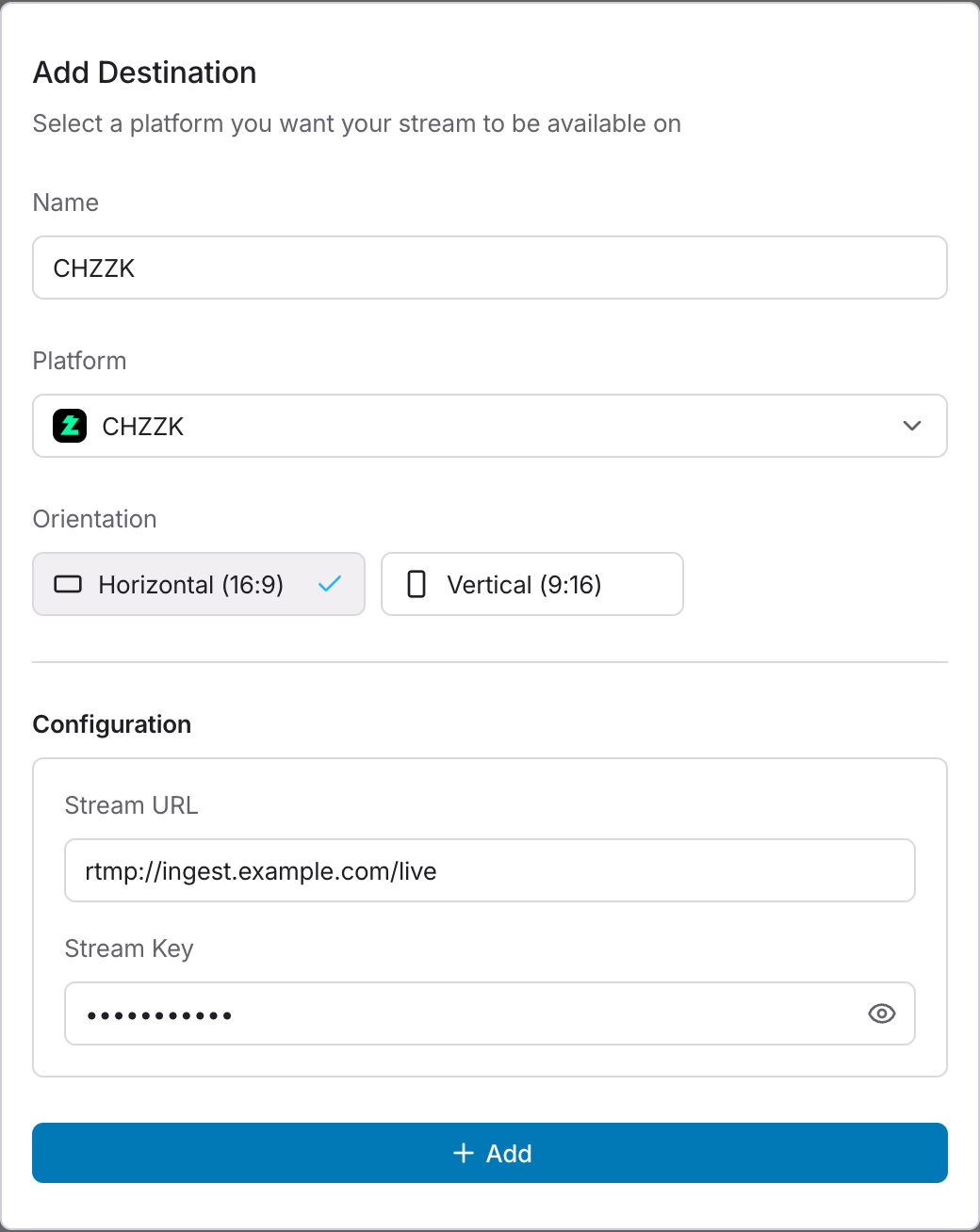
Open Destinations and click "Add Destination".
Enter a "Name" and select "CHZZK" under "Platform".
Under "Orientation", choose "Horizontal (16:9)" or "Vertical (9:16)".
Paste the server URL into "Stream URL" and the stream key into "Stream Key".
Click "Add".
Step 3:Preview and go live
Enable your CHZZK destination in Streamable.
Start your server and connect your ingest.
Check the video and audio in the Streamable preview.
Click "Start Stream".
Open your CHZZK channel and check that the broadcast is live.