How to Collab with a Streamer Using Another Cloud Server
This guide shows how to collab with another streamer who uses another Cloud Server, such as AntiScuff, IRLToolkit, or IRLHosting.
Here are 14 days free to switch servers. Use this code for 14 days free while you move to Streamable. Code: STREAMABLE-SWITCH-SERVERS-14-DAYS
Welcome! This guide shows how to collab with another streamer who uses another Cloud Server, such as AntiScuff, IRLToolkit, or IRLHosting. We make this extremely easy, and you can do it by either having them add Streamable as a destination, or by adding their cloud server as a destination yourself.
Method 1: Have them add Streamable as a Destination
Step 1:Send your ingest details to your friend.
Select Other Cloud Servers (SRT) on the Ingests page. Share URL with Port, Stream ID, and the displayed Latency (ms). Leave Passphrase empty. The default latency is 800 ms.
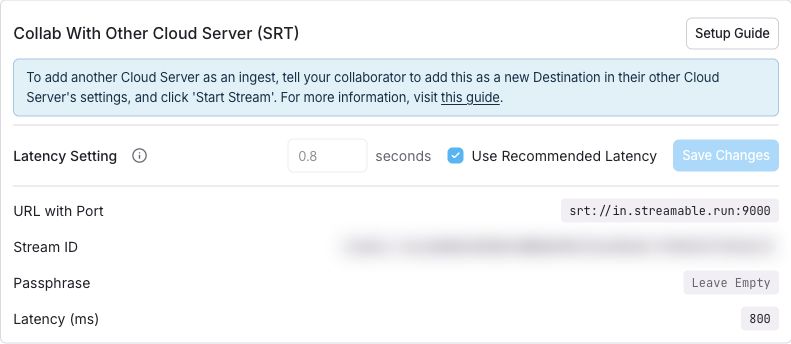
Start your receiving Streamable server first. Select a separate ingest for your collaborator so it does not replace your own input.
Step 2:Have your friend add a new destination in their settings.
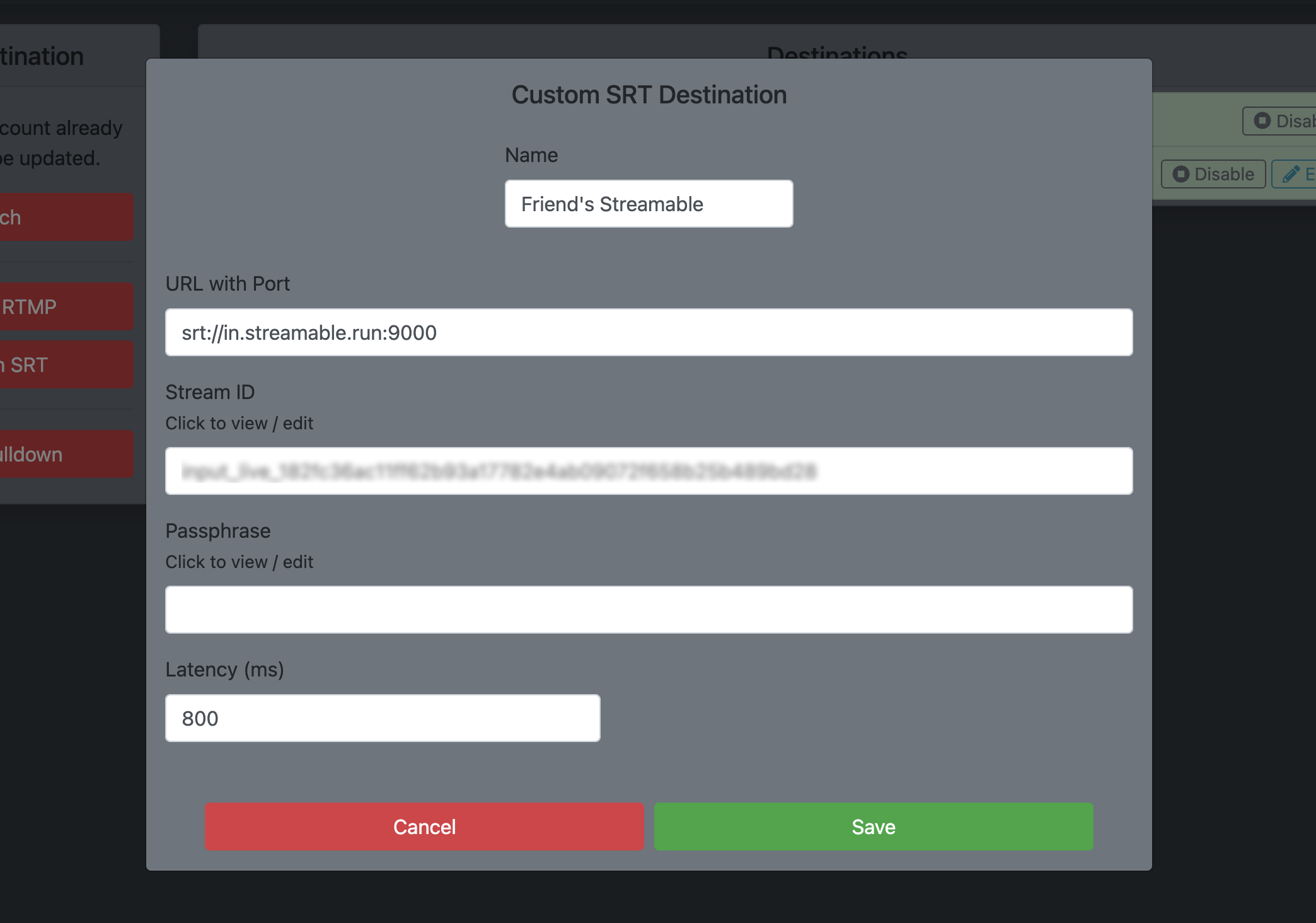
On your friend's cloud server settings, create a new Destination -> Custom SRT Destination.
Paste the details from Step 1 into that new Destination.
Step 3:Happy streaming!
When your friend starts streaming from their Cloud Server, their video data will show in that ingest scene in your Streamable! Simply switch to that scene and your viewers will see it.
Method 2: Add your friend's server as a Destination
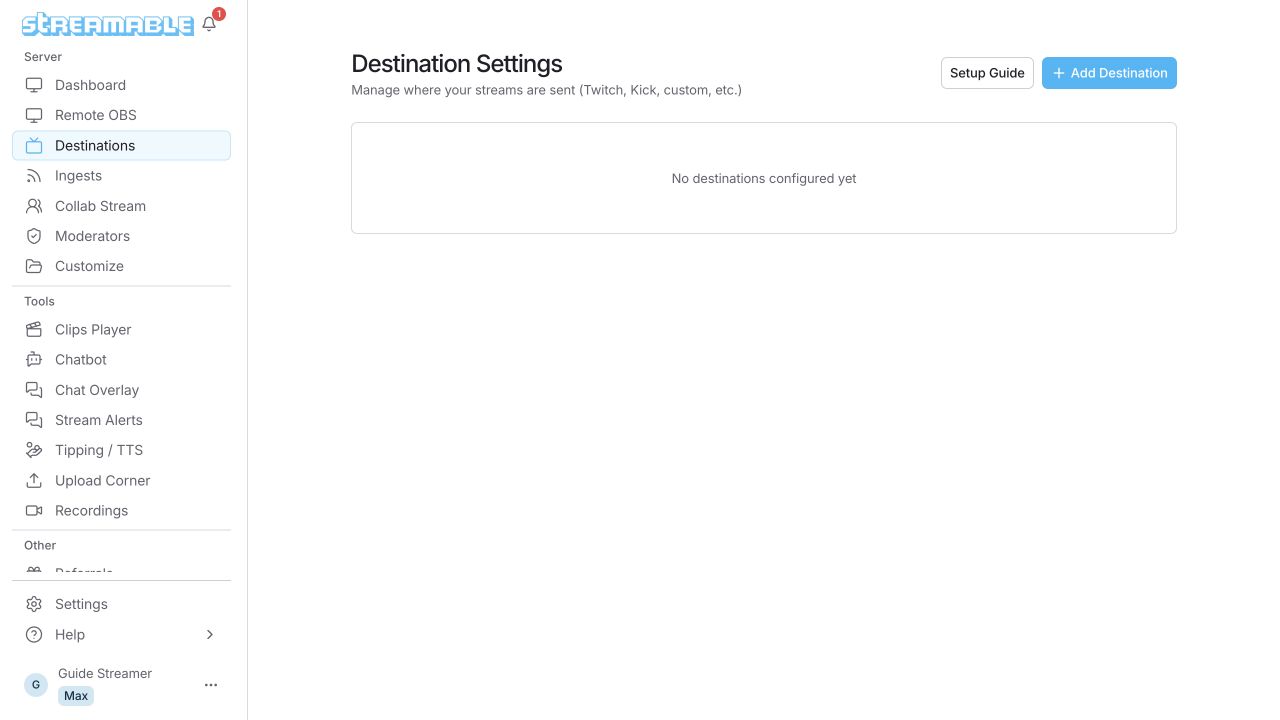
Step 1:Open the Destinations page in Streamable.
Open Destinations from the Streamable sidebar.
Step 2:Get your friend's ingest details.
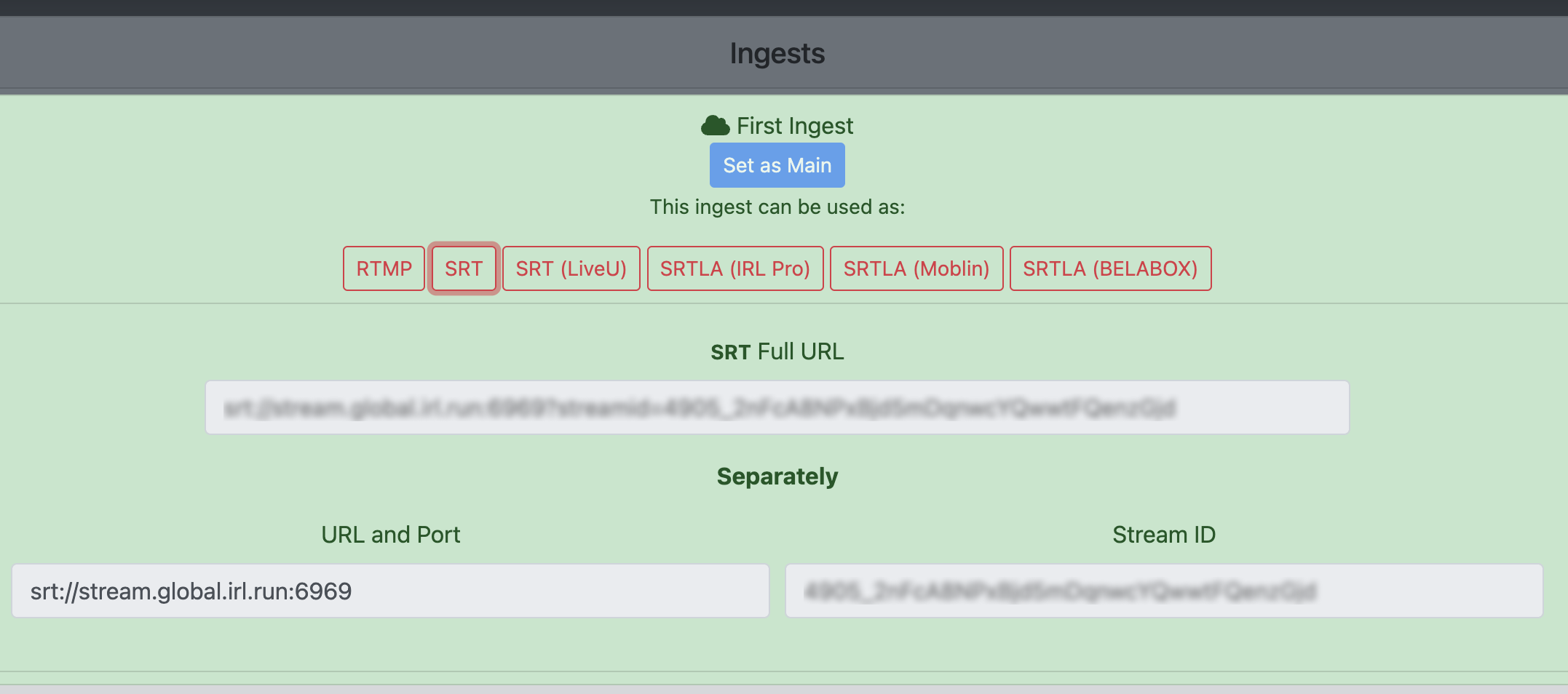
Ask your friend for their server's ingest details.
Step 3:Create a Custom destination.
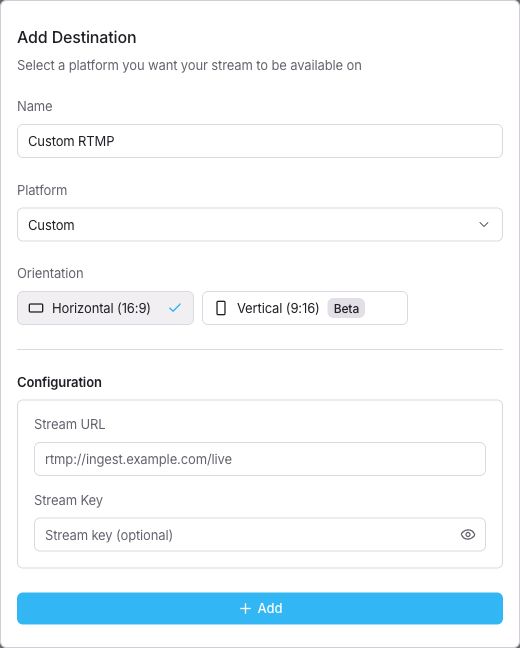
Click Add Destination. Enter a Name and choose Custom. Paste the full srt:// URL into Stream URL. If it lacks streamid, enter the stream ID in Stream Key. Click Add.
Step 4:Happy streaming!
Enable the destination and start its output from the Dashboard. Your collaborator can then select the receiving ingest scene.