Free chatbot for Twitch and Kick
Streamable’s chatbot answers viewer commands, posts timed messages and sends chat alerts on Twitch and Kick. It’s free with a Streamable account. Link your channel, turn it on, and type a command in your chat to try it.
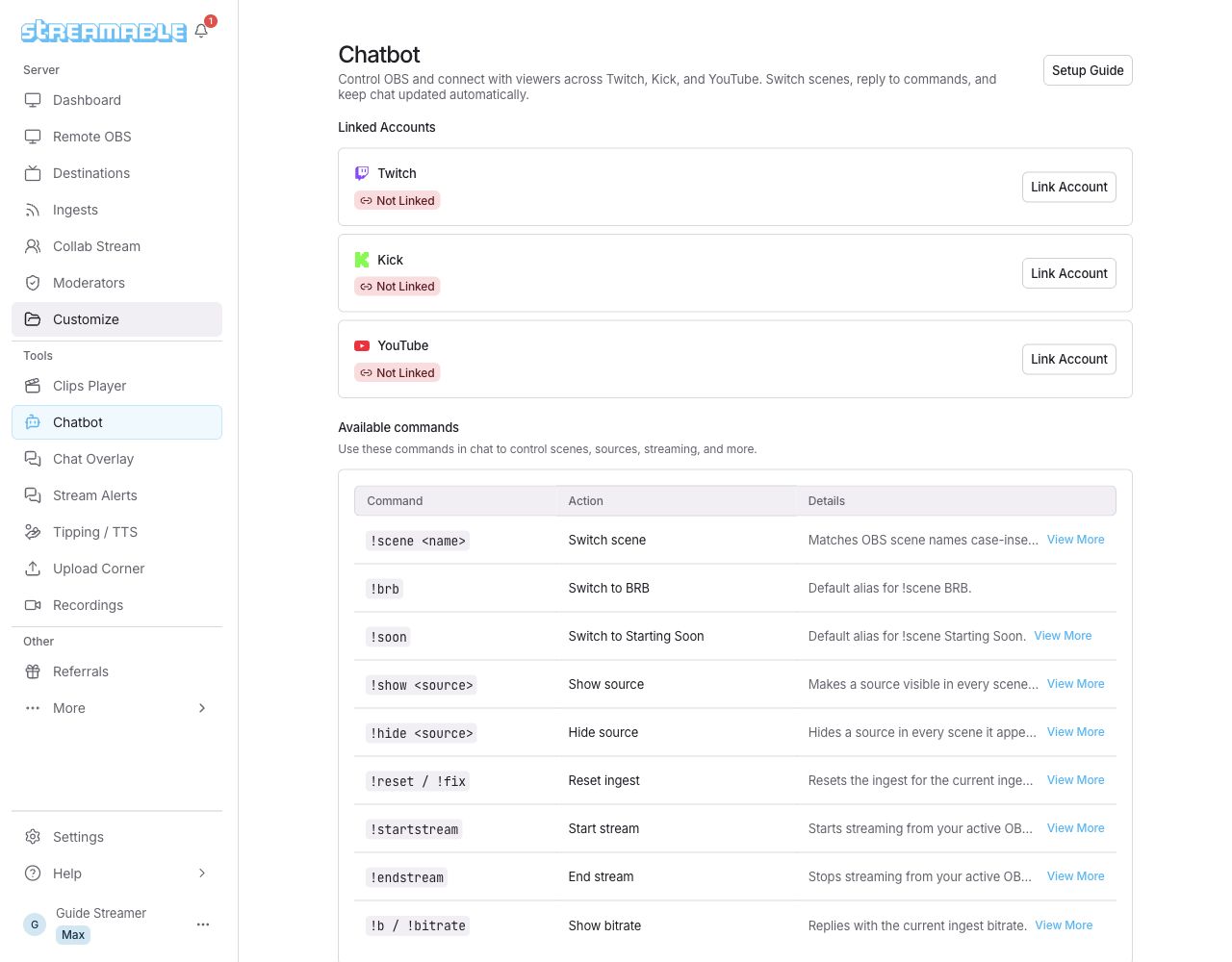
What it does
- Reply commands: save a reply to a command such as !socials, and the bot answers in chat. Choose whether Everyone or only Mods can use it.
- Chat reminders: send a message on a timer, from every minute up to every 7 days.
- Chat alerts: post automatic updates for scene changes, stream start and end, and signal loss and recovery. You can silence them any time.
- Stream control from chat: if you stream with Streamable’s Remote OBS, commands like !scene, !show, !hide and !bitrate control it from chat.
Set it up in four steps
- Create a free account. Then open Chatbot.
- Link Twitch or Kick. Select Link Account and approve the permissions.
- Turn on the switch for that platform. It appears once the badge reads Permission Granted.
- Try a command. Add a reply command such as !socials, then type it in your chat.
Limits
- A free account can use the chatbot on up to 2 destinations (a destination is a linked Twitch or Kick channel).
- Up to 100 reply commands.
- Replies and reminders can be up to 200 characters.
- Reminders can repeat as often as every minute and as rarely as every 7 days.
Questions
Is the Streamable chatbot free?
Yes, on Twitch and Kick. It’s free with a Streamable account.
Does it work on Kick as well as Twitch?
Yes. Link either one, or both, and turn on its switch.
What are the limits?
A free account can use the chatbot on up to 2 destinations (a destination is a linked Twitch or Kick channel). You can add 100 reply commands and 200 characters per reply or reminder. Reminders can repeat up to every 7 days.
Can my moderators use it?
On Twitch, yes. Turn on Allow Twitch Mods to Use Commands, which is off by default. Kick doesn’t have this option.
Add a chatbot to your channel
Link Twitch or Kick and have your first command answering in chat in minutes.
Create a free accountMore free tools
- SRT link builder: Make the two links you need to send video from your phone to OBS over SRT on the same Wi-Fi.
- IRL bitrate calculator: See the bitrate, keyframe and audio settings Twitch, Kick and YouTube ask for, with the source for every number.
- Free Chat Overlay: Show Twitch, Kick and YouTube chat together in one browser source for OBS.