Blog
How To Stop Streams From Ending On Twitch and Kick
Diagnose a server crash versus a mobile disconnect, then set up StreamableRun Cloud OBS and fallback scenes for Twitch or Kick.
Written by Manav Bokinala
Hey there! Streamable enables the most popular streamers to IRL stream without issues. Features include Premium Cloud Streaming Servers, 100% Stream Drop Protection, Clips Players, Remote OBS, Multiple Ingests, Collaborative Streaming, DDoS protection, and much more! If you're a streamer, let us help you out!
The direct answer
To stop a Twitch or Kick stream from ending when your phone signal drops, keep a stable encoder connected to the platform and send your fragile camera feed into that encoder instead of directly to Twitch or Kick.
StreamableRun provides this setup with Cloud Hosted OBS, Moblin or IRL Pro ingest, and stream drop protection. Your phone sends video to the cloud server, and the server sends the broadcast to Twitch or Kick. With drop protection enabled, the server can show a fallback scene when the source drops.
This addresses a lost source connection. It does not make a crashed cloud server keep broadcasting, repair a platform outage, or restore mobile coverage. First check which part of your setup stopped working.
Is the server crashing, or is your phone disconnecting?
- The server is running and its dashboard responds, but the ingest bitrate falls to zero: check the phone, streaming app, and mobile connection. A fallback scene can cover the interruption while that source reconnects.
- OBS closes, freezes, or restarts, or the server itself goes offline: investigate the server or encoder failure. Keep the incident time, OBS logs, and the affected destination so your provider can investigate. A relay or fallback scene alone cannot keep output running after its encoder stops.
- OBS and the incoming camera feed still work, but Twitch or Kick disconnects: check the server's destination connection and the platform's stream status. Changing the phone app will not necessarily fix this part of the connection.
Why Twitch and Kick streams end during signal drops
Twitch and Kick expect a continuous live feed from your encoder. If your phone loses service, your mobile streaming app reconnects, OBS crashes, your laptop changes networks, or your RTMP/SRT feed disappears long enough, the platform can treat the broadcast as finished.
The platform does not know that your disconnect is temporary. It only sees that media stopped arriving from the encoder, so viewers may get kicked out and your stream page may go offline.
Use Cloud Hosted OBS as the buffer
The fix is to separate your viewer-facing stream from your unstable source connection. Instead of streaming straight from your phone or local OBS to Twitch or Kick, send that feed to OBS running in the cloud.
While the cloud server and its destination connection remain healthy, Cloud Hosted OBS can continue sending video when your phone feed drops. Enable stream drop protection and test the fallback scene before relying on it during a broadcast.
Recommended Twitch and Kick setup
This is the basic architecture for stream drop protection on Twitch and Kick:
- Phone, Moblin, IRL Pro, desktop OBS, or another encoder sends RTMP/SRT into Streamable.
- Start your StreamableRun Cloud OBS server and enable stream drop protection.
- Cloud Hosted OBS sends the final stream to Twitch, Kick, or both platforms at the same time.
- Configure and test the fallback scene that viewers should see if the source disconnects.
- During a test, interrupt the source, confirm the destination still receives the fallback, then reconnect and check the camera and audio.
What viewers experience
From the viewer perspective, the stream keeps going with a clean offline, BRB, or fallback scene. You can show a message, music, sponsor loop, waiting screen, or clips player while you reconnect.
When your phone service, Wi-Fi, or encoder comes back, the live camera feed returns without forcing viewers to refresh a new stream or join a new broadcast.
Settings help, but they are not the whole fix
Lowering bitrate, using a 2-second keyframe interval, choosing a nearby ingest server, and avoiding weak Wi-Fi can reduce disconnects. Those settings are worth doing, but they do not solve the main problem by themselves.
A BRB scene in local OBS only helps if local OBS is still connected to Twitch or Kick. If the encoder itself loses network access, the platform can still end the stream. The important part is having a cloud encoder that stays online when your local source does not.
A quick note on Streamable
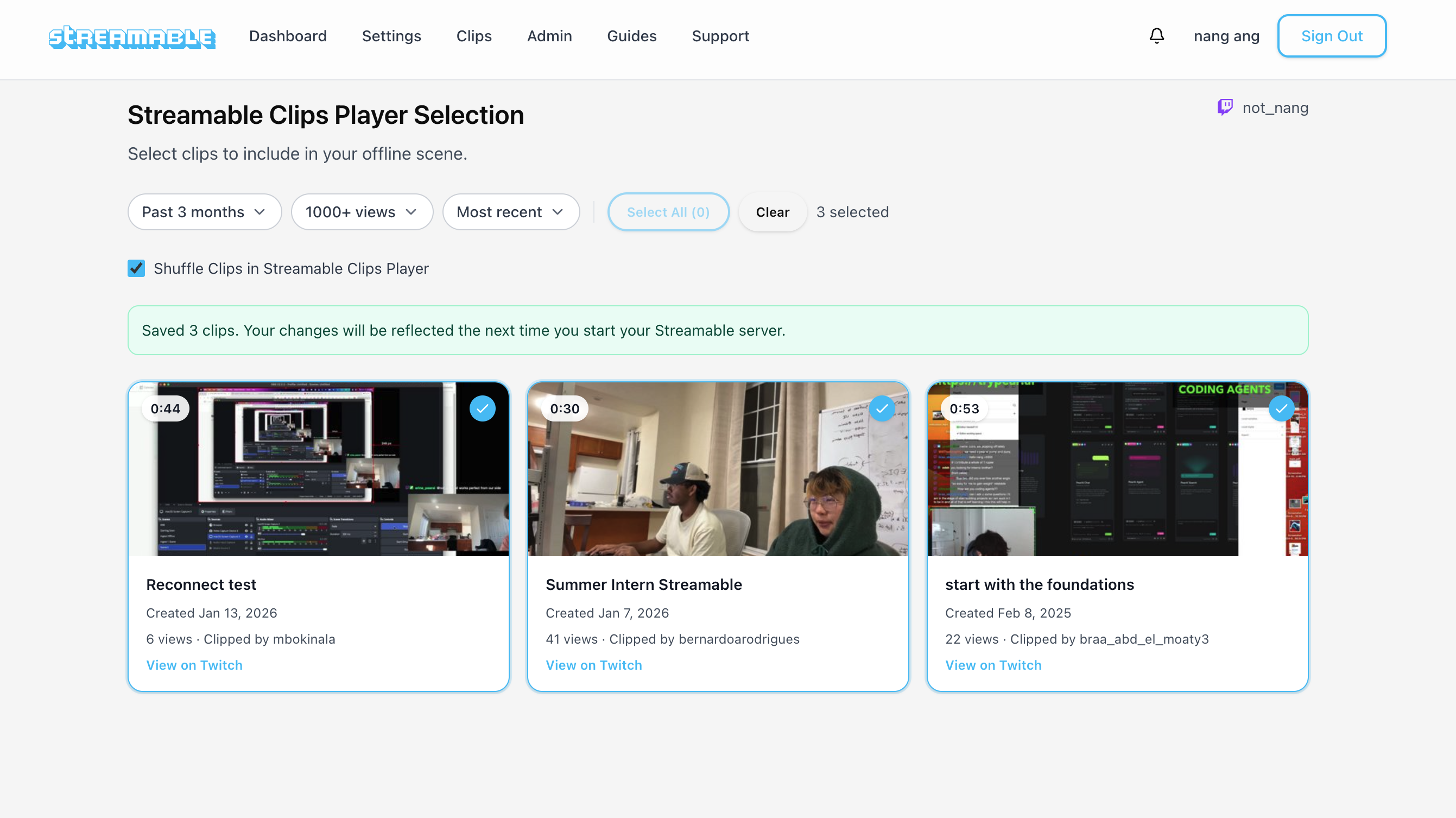
StreamableRun supports Cloud OBS servers, multiple ingests, remote OBS control, and Twitch and Kick destinations. The clips player can supply videos for your fallback scene while a source reconnects.
Cloud hosting moves the outgoing encoder away from your phone or home computer. It still needs a healthy server and a working connection to each destination. Treat a successful disconnect test as evidence that your current configuration works, not a guarantee against every outage.
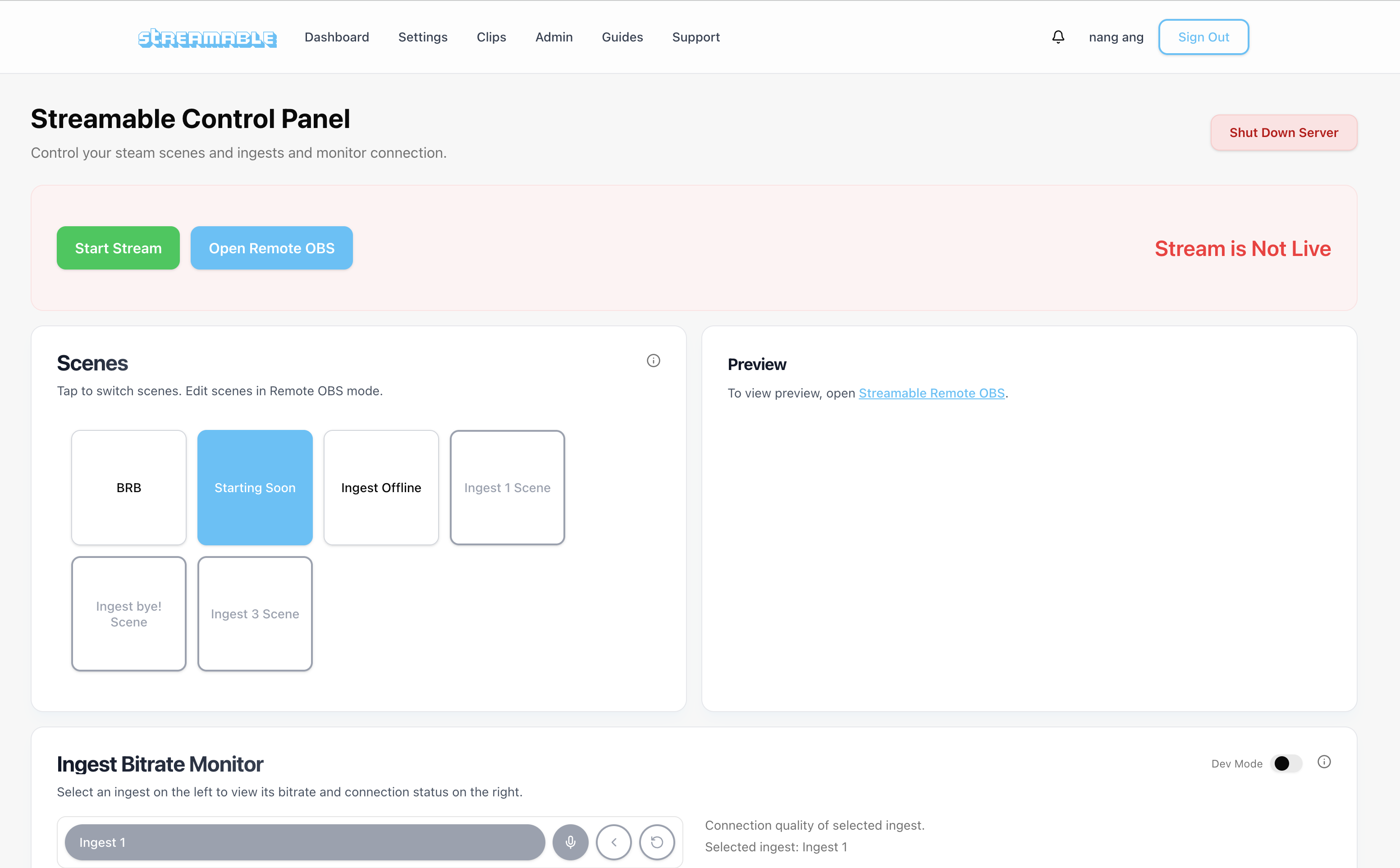
Here is a look at the clips player that can keep viewers entertained during short interruptions.
Give it a try
If your Twitch or Kick stream keeps ending when signal drops, try putting Cloud Hosted OBS between your source and the platform. The goal is simple: keep Twitch and Kick receiving a steady stream even when your camera feed has problems.
Check current plans and trial availability at StreamableRun pricing.
Are you an IRL streamer? Give Streamable a try!
Let Streamable help you never IRL stream with issues again! Here's how we can help:
- Premium Cloud Streaming Servers
- 100% Stream Drop Protection with Clips Player
- Multiple Ingests, Switch scenes without pausing stream
- Collaborative Streaming / Share Ingests with Friend Requests
- Remote OBS
- DDoS protection
- much, much more!
Follow us on Social Media
Follow along for updates and tips:



Optional: Deep-Dive FAQ
Open only if you still need extra troubleshooting context.
Will stream drop protection fix a server that keeps crashing?
No. Drop protection covers an interrupted source while the cloud encoder and destination connection keep working. If OBS or the server crashes, investigate that failure with your provider. Save the incident time and logs before changing the setup.
How do I stop my Twitch stream from ending when signal drops?
Send your phone or local OBS feed to StreamableRun Cloud OBS, add Twitch as a destination, and enable and test stream drop protection. A healthy cloud encoder can send a fallback scene while the source reconnects.
How do I stop my Kick stream from ending when signal drops?
Send your phone, RTMP, SRT, or local OBS feed into Cloud Hosted OBS, then send the final output from Cloud OBS to Kick. If your source drops, Cloud OBS can keep Kick receiving a live stream.
Is lowering bitrate enough to stop a stream from ending?
Lower bitrate can reduce disconnects, but it does not guarantee the stream stays live. If the encoder connected to Twitch or Kick goes offline, the platform can still end the stream.
Does a BRB scene prevent Twitch or Kick from ending a stream?
A BRB scene helps only if the encoder remains connected to the platform. Cloud Hosted OBS is useful because it can keep sending the BRB or fallback scene even when your phone or local source disconnects.
Can I keep streams alive on Twitch and Kick at the same time?
Yes. With Cloud Hosted OBS or Streamable multistreaming, one stable cloud output can send to Twitch and Kick while your source feed reconnects.